Posts

Basic Mobile Application Testing Scenario

Image
    In mobile application testing, there is a lot of testing available. here I share some basic scenarios which help you in mobile app testing. •verify that the app has been launched by downloading and installing it for use. • Verify that text is visible and readable properly. • To check that app is working on landscape & portrait view. • Verify that back, minimize key can working as per flow wise. • Verify that application is working on background or not. • Verify that application ask to allow required permissions popup on screen. • Verify that volume buttons are working properly in applications. • Check that application goes into background when on call. • Check the application performance during different network connections like: 2G,3G,4G,5G • Verify that application working with WI-Fi Connections. • To verify that app operate normally when there is an incoming call and SMS received. • Check that application working on different OS in android and iOS. • Che...

Test Cases for registration page/ web form

Image
  Image is example purpose used.   Check List: How to Test registration page or any web form  ·          Verify that all the labels on web forms are readable and understandable. ·          Verify that all required buttons are available or not. ·          Verify that all buttons are clickable. ·          Verify that all required fields are marked with asterisks (*). ·          Verify that tab key functionality working properly or not. ·          Verify that all fields have a valid placeholder. ·         Verify that clicking to submit button after fill all required data, then check data is display proper same as written in all fields. ·          Verif...

Test Cases for Payment Gateway.

Image
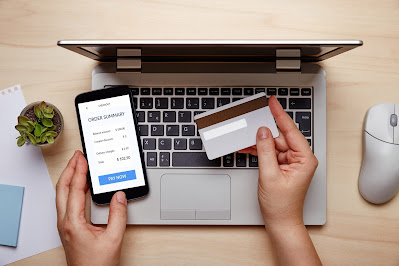
  The purpose of payment gateway testing is to insure the security, trust ability and performance of a payment gateway by cracking and securing the payment details between stoner and trafficker while furnishing a smooth payment experience. Check List: How to Test Payment Gateway. 1. Arrange proper test data for the dummy credit card number for the maestro, visa, master, etc. 2. Collect payment gateway information like Google Pay, Google Wallet, PayPal, Paytm, or else 3. Collect payment gateway documents with error codes 4. Check for the application response after the transaction. 5. Check for the message that is displayed after a successful transaction. 6. Check for the message that is displayed after an unsuccessful transaction. 7. Check for the language and currency that is relevant to the location. 8. Check the error message if a payment fails. 9. Check redirection after successful payment 10. Check all payment options are working properly. 11. Check for the messag...

How disable save password popup in chrome browser using Selenium.

Image
Whenever users log in with their credentials it displays a popup alert for saving their credentials.  In Chrome Browser login with credentials, it displays one popup near the address bar.  Manually we can uncheck to disable the popup. but in this post, we will see how we can disable this popup dialog with help of Chrome Options   we use this preferences for disable  prefs.put("credentials_enable_service", false);                                          prefs.put("profile.password_manager_enabled", false); Here is the brief implementation code  Note: All the URL and path, Images is for reference purpose only. do not misuse.